Sharing
Three ways to get a setlist in front of someone — a team in your group, a specific member or email, or a public link that needs no account at all.
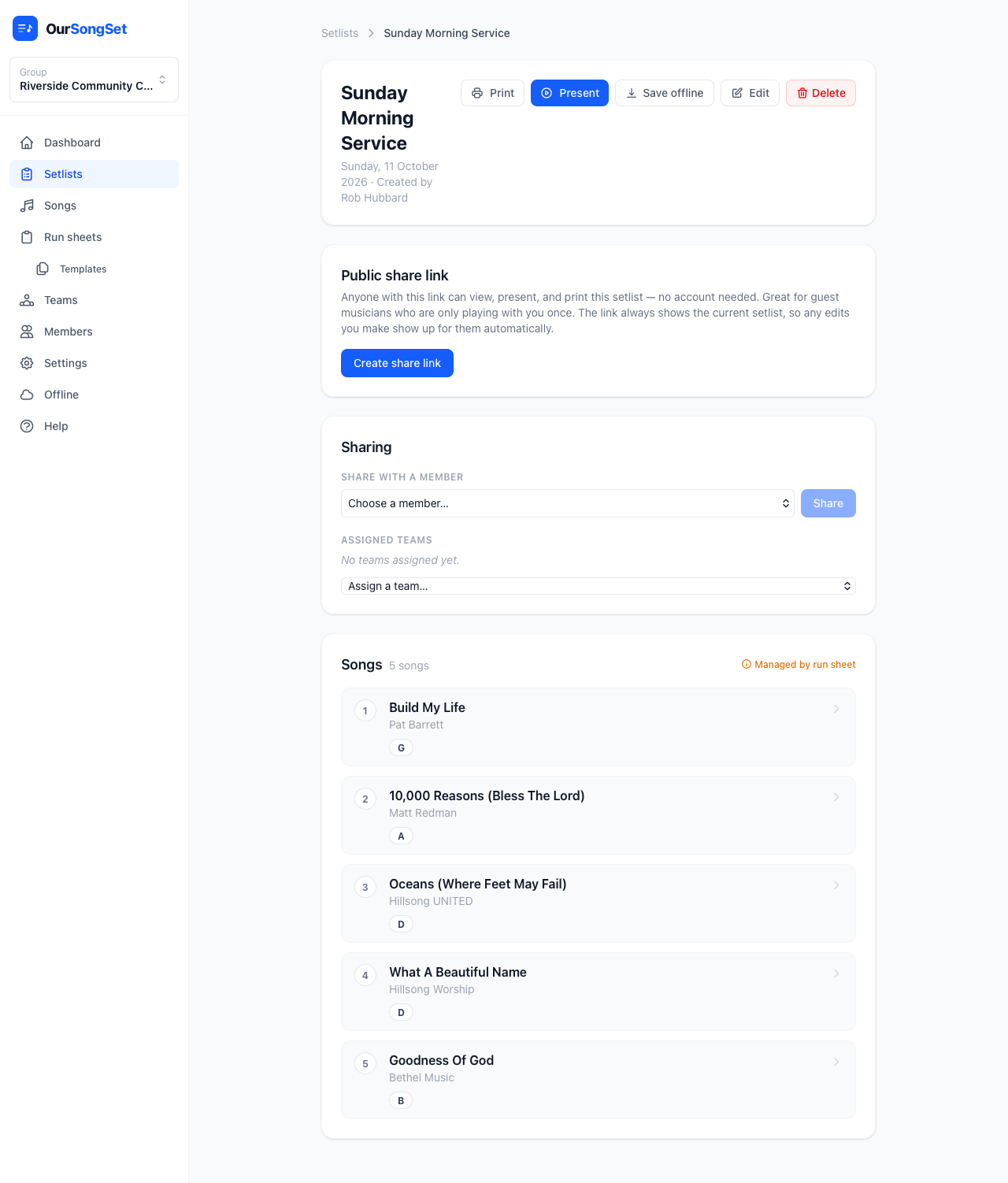
Sharing with a team or a group member
From the setlist page's Sharing panel, assign one of your group's teams — everyone on that team gets emailed the setlist, with full chord charts attached. Or share with a single member directly if it's not a whole-team thing.
You can also share by typing any email address. If it belongs to someone who already has an account, they're added as a share immediately. If not, they get an email invite to create one.
Public share links — no account needed
This is the one for a guest musician who's sitting in for a single service — someone you don't want to invite into your group, because they're only playing with you once.
Hit Create share link in the "Public share link" section of any setlist, and copy the link it gives you. Anyone with that link can view the setlist, present it, and print it — in full, with real chord charts — without creating an account or being a member of your group.
- The link always shows the current setlist — if you swap a song or change a key after sending it, the person with the link sees the update automatically
- You can revoke the link at any time from the same panel, which immediately invalidates it
- There's no limit on how many people you share a link with, and it doesn't expire on its own
Presenting live together
A public share link also doubles as a way in to a live synced present-mode session — a guest who opens it while you're presenting lands straight on a banner offering to join and follow your song and page automatically, no separate setup. See Presenting on stage for the full walkthrough, including the QR code for getting someone there in the first place.
Sharing a run sheet's setlist
A run sheet's auto-generated setlist can be shared the same way as any other setlist — with a team (handy for getting charts to your band without them needing to see the full run sheet), or with a public link.