Setlists
The order you're playing songs in, and which key each one is in — that's it. Everything else (presenting, printing, sharing) builds on top of a setlist.
Creating a setlist
From the Setlists page, hit New setlist, give it a title and a date, then start adding songs. Search by title, artist, or lyric — same search as the main Songs page.
For each song, pick one or more keys. If your group has set a default key for that song, it's already selected for you — you can still change it for this particular setlist if you need to.
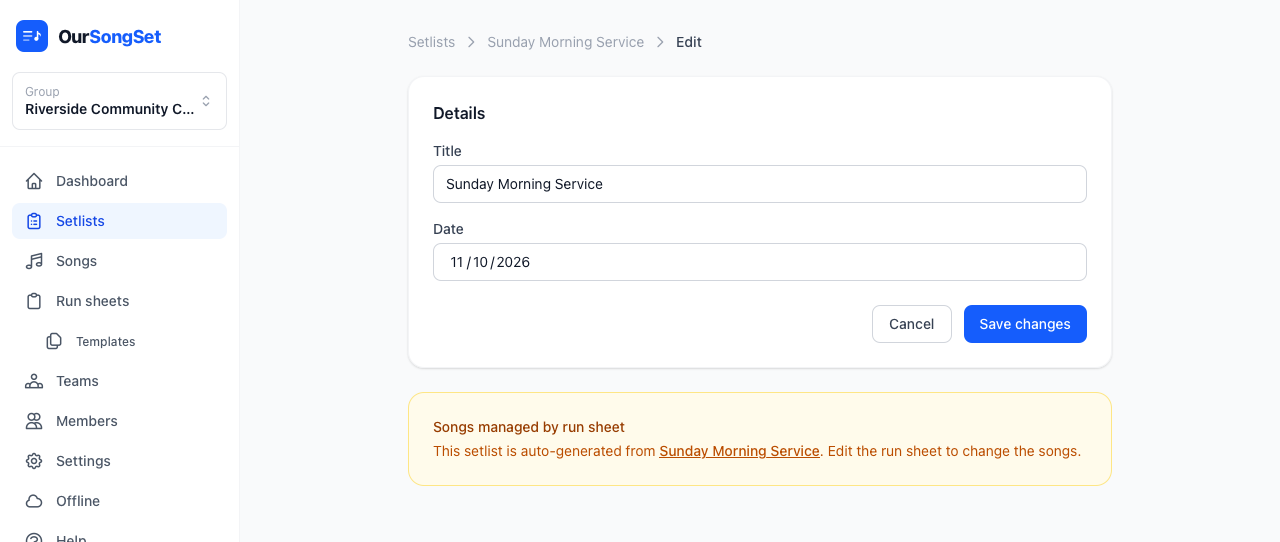
Reordering
Drag and drop to reorder songs. On mobile or tablet, use the up/down arrows instead — dragging is fiddly on touch.
The setlist view
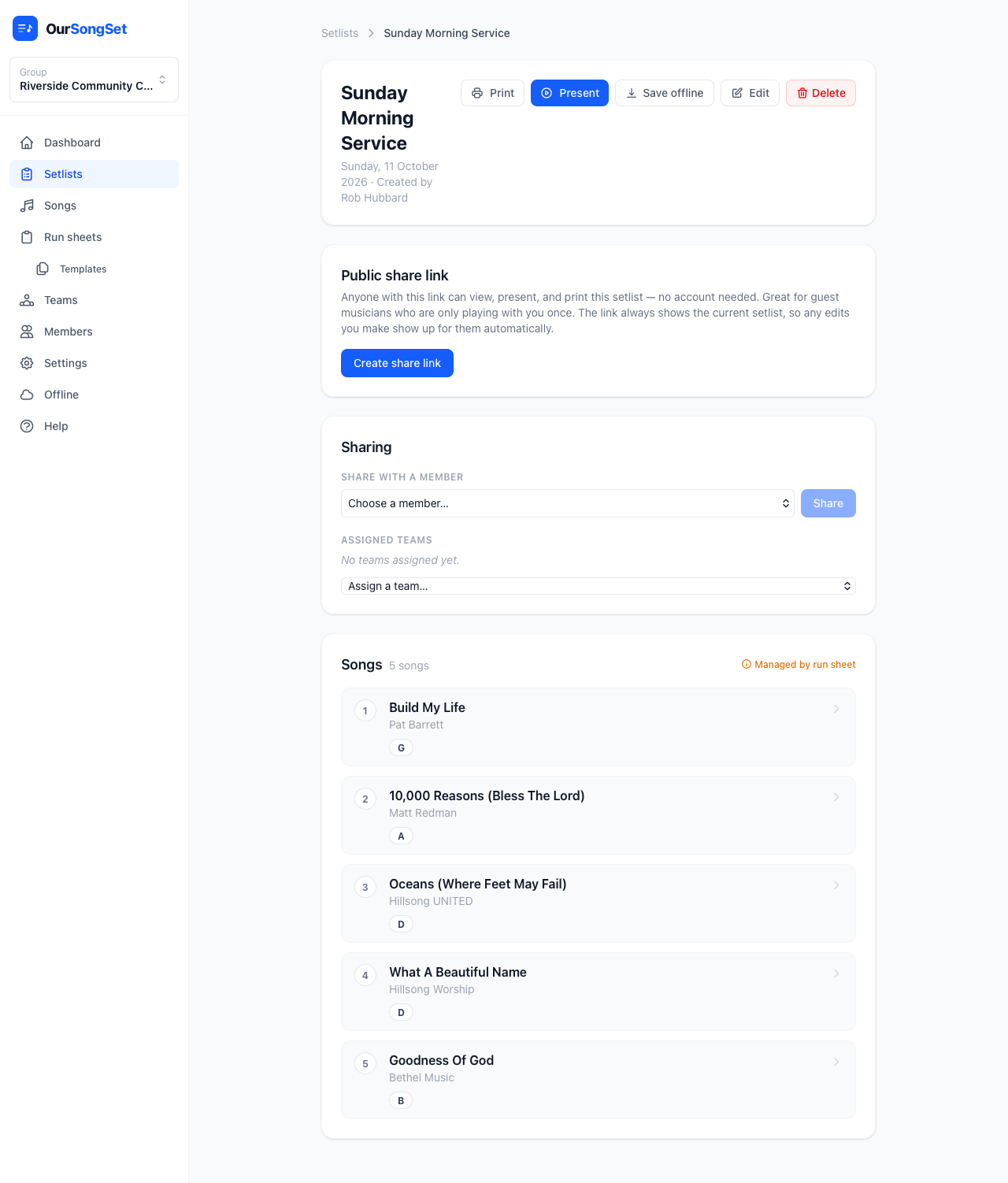
Once built, the setlist page shows every song with its chosen key, and gives you buttons to present, print, save it for offline use, or share it — with your team or with someone outside your group entirely.
Arrangements and performance notes
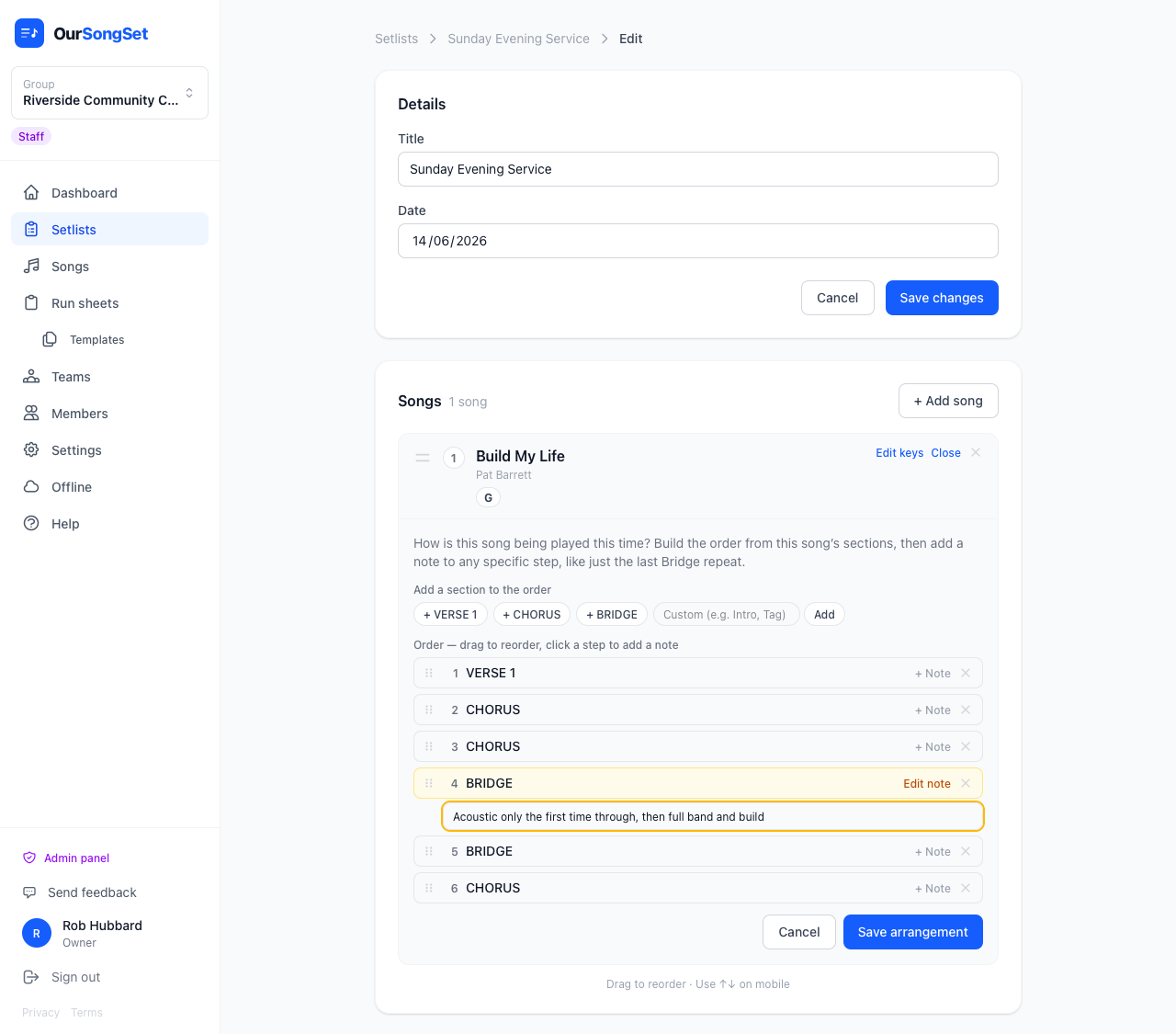
How is this particular song being played this time? Next to each song, hit Add arrangement to build the running order out of that song's own sections — click Verse 1, Chorus, Bridge, whatever it actually has, in whatever order you're playing them. Drag to reorder, and the same section can appear more than once — a chorus repeated three times is three separate steps, not one.
Click any single step to attach a note just to that instance — so if the bridge repeats three times, only the one that needs "acoustic only, then build" gets it, and the other two stay plain.
The note shows up two places: in an overview banner at the top of present mode and print (the whole running order at a glance), and injected directly into that section's own header in the chart itself — so it's right there when you're actually playing through it, not just somewhere you glanced at earlier. See Presenting on stage.